
Game Engines & Programming
Unity
Unreal Engine 5
Custom Engines
C# & C++
Tools & Workflow
Github & Perforce
Miro
Nextcloud & Youtrack
Audio
FMOD
2D & 3D Audio implementation
Audio implementation in unity and custom engines
Audacity
Education
The game Assembly
aug 2023 - june 2025
Gameprogrammer
Tools
Component system
Weapon implementation
Custom 3D Audio implementation
Experince
Ion Game Design Internship
October 2025 - May 2026

Tools
UI
Audio Implementation
Organizing skills
Audio
Audio at TGA
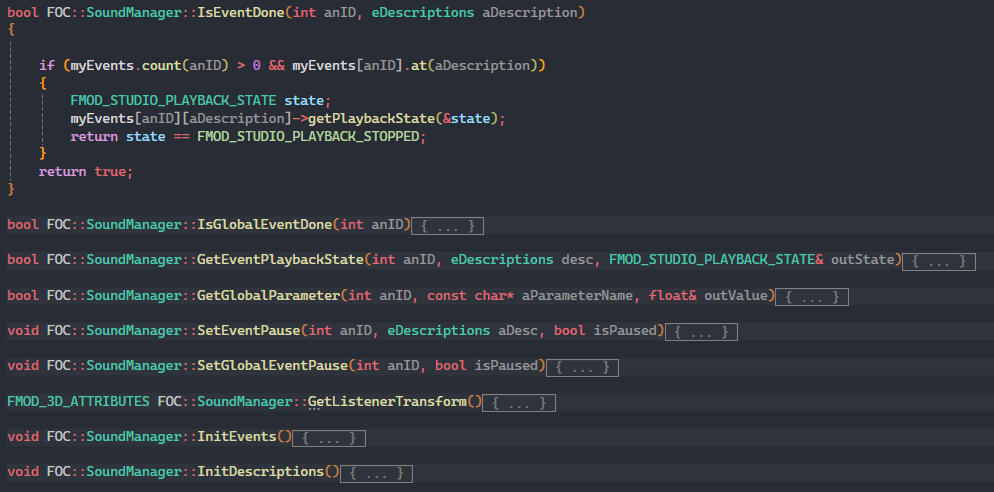
I worked mainly with event manager to play the sounds, this so other things could also listen to it.
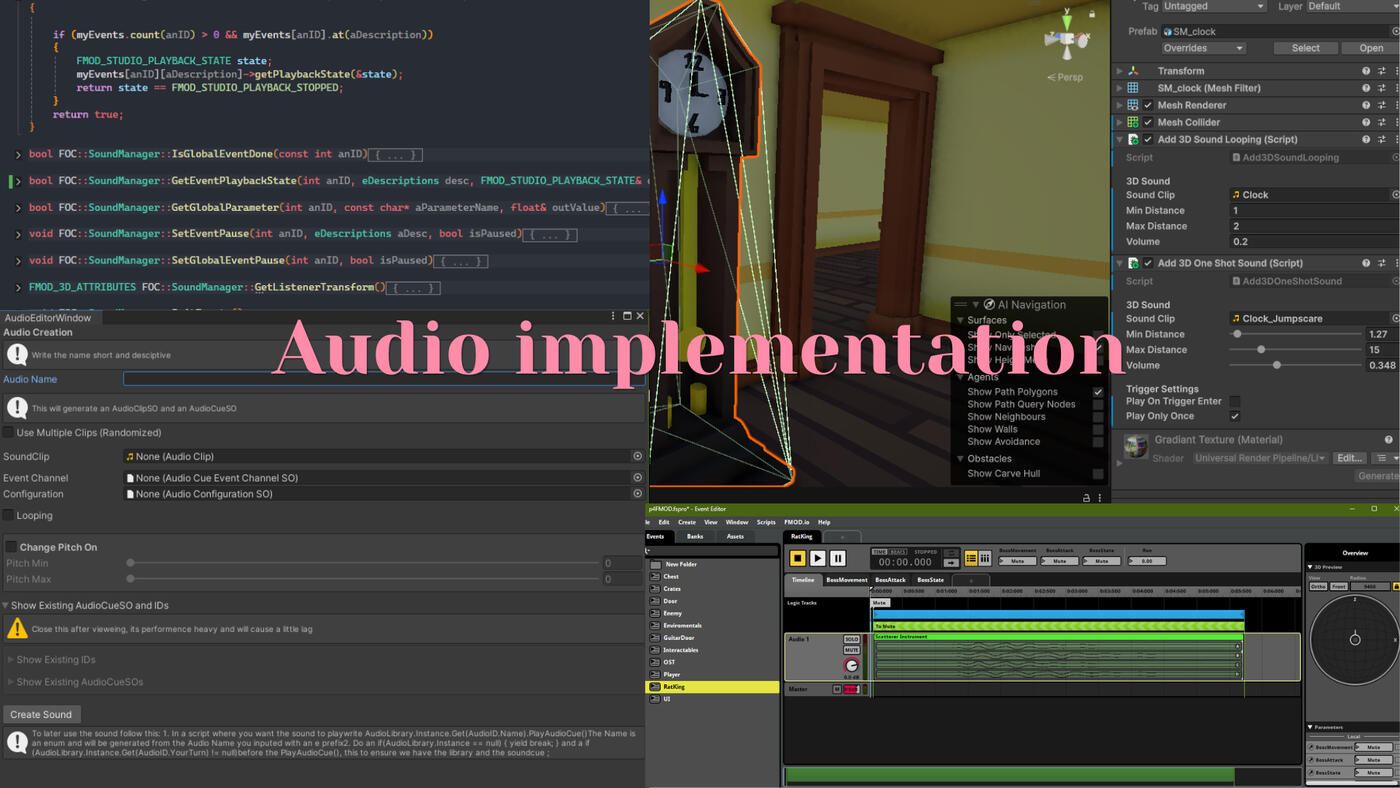
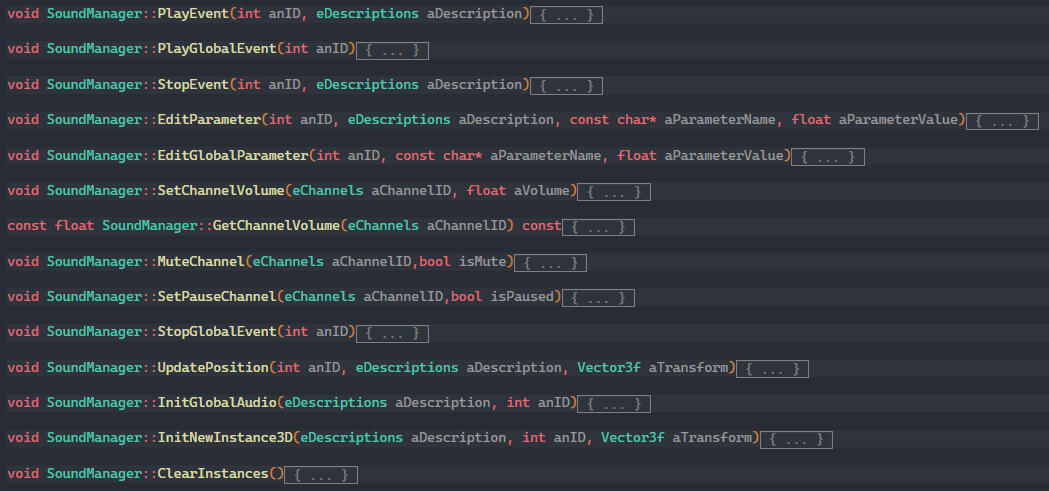
I had a soundManager which was what got the information from FMOD, except its init function it was reusable to be used in any project, for both 2D and 3D sound.Then I had a soundHandler which was project specific and listened to the differnt events and called the soundmanager and sent what sound it was suppose to play.
The soundhandler also had get and set functions for volume.
Audio programming was not something TGA formally taught us, so I learned it from a senior student a year above me during Project 4. I followed their lead at first, then began experimenting independently toward the end of that project.During project 6 someone else was working on audio and I helped and finished it.By Project 7 I was working on audio implementation on my own. There was no collaboration with an audio program for these projects, so I sourced and edited sounds myself before implementing them in FMOD, learning how the tool worked along the way.One thing I found particularly interesting was reusing a single parameter to drive multiple effects. For example, a health parameter updated from player->GetHealth() lowered the background music bus as health dropped, increased the volume of a heavy breathing sound, and triggered a low health warning cue, all from one value. I also implemented scatter sounds, where a pool of varied sound clips played at random to avoid repetition.During the 8th project I worked together Audiodesigner so the focus went unto the implementing.
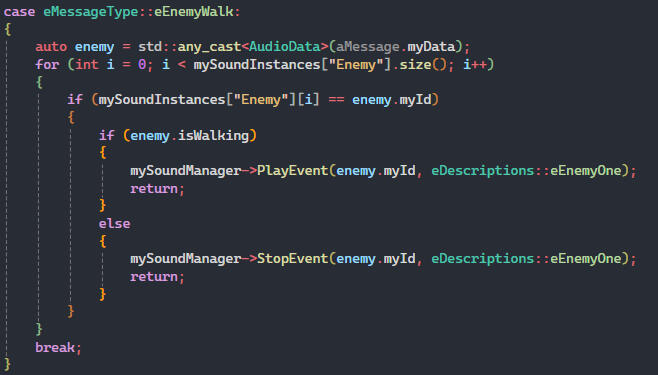
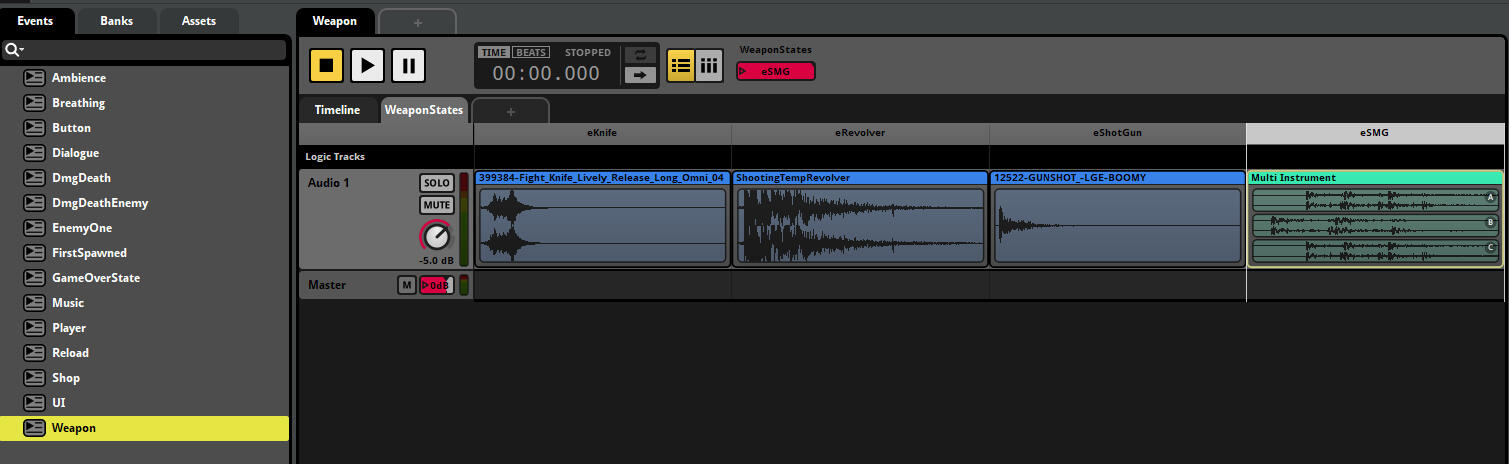
This is from project 7, where I used a WeaponState Parameter that had all sounds for the weapons. In the soundhandler I listened to the Shoot event which also sent data on what weapon was shooting. And called the specific sound.
Later in the project I cleaned up the events and fixed the name convention on the sounds.
Audio at ION
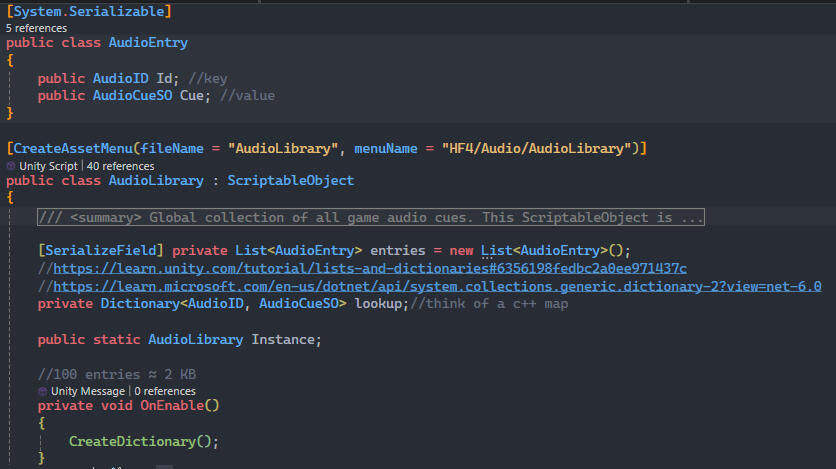
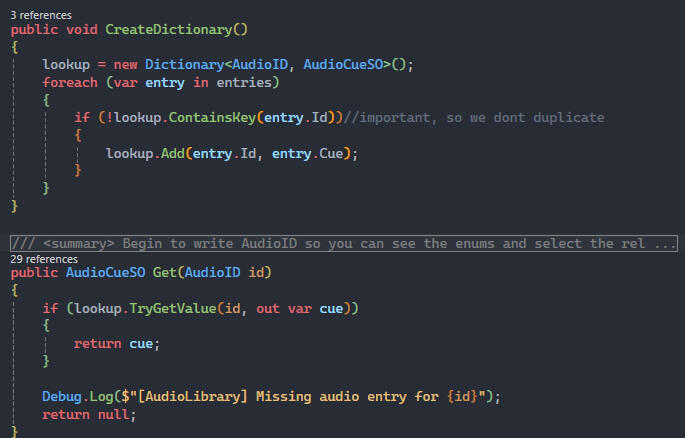
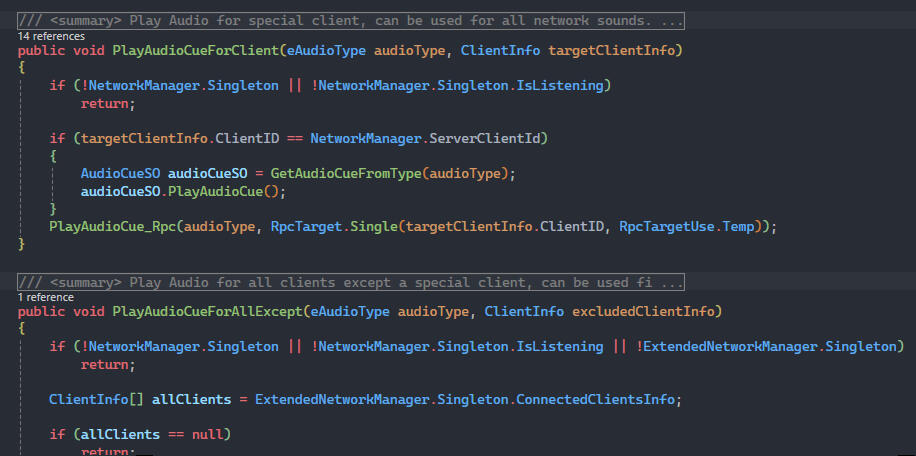
At Ion I worked with audio inside an already existing system, which I ended up restructuring. Previously, audio lived directly on individual objects, every button had its own click sound attached locally. I centralized this into an AudioLibrary, a persistent singleton loaded once when the game starts. Buttons, sliders, and dropdown menus now simply callAudioLibrary.Instance.Get(AudioID::ClickSound).PlayAudioCue()
, meaning each sound only needs to be defined in one place rather than duplicated across every object that uses it.I designed the system to support multiple libraries, though in practice the game was small enough that a single library was sufficient.
Since the game was multiplayer, I also built network functionality for audio rather than rewriting the existing networking code from scratch.I also did general audio cleanup work, including learning the basics of Audacity and beginning to implement audio for a cutscene using Kdenlive.I created a tool for Adding sound, which was to be used by non programmers and make it easier to add sound. It went from 9 steps to 2. You can read more about it in my Tools page.
Other Audio projects
I worked on Audio during the GGC gamejam, check the gamejam page to read more about it.
Crafting inventory in Custom Engine
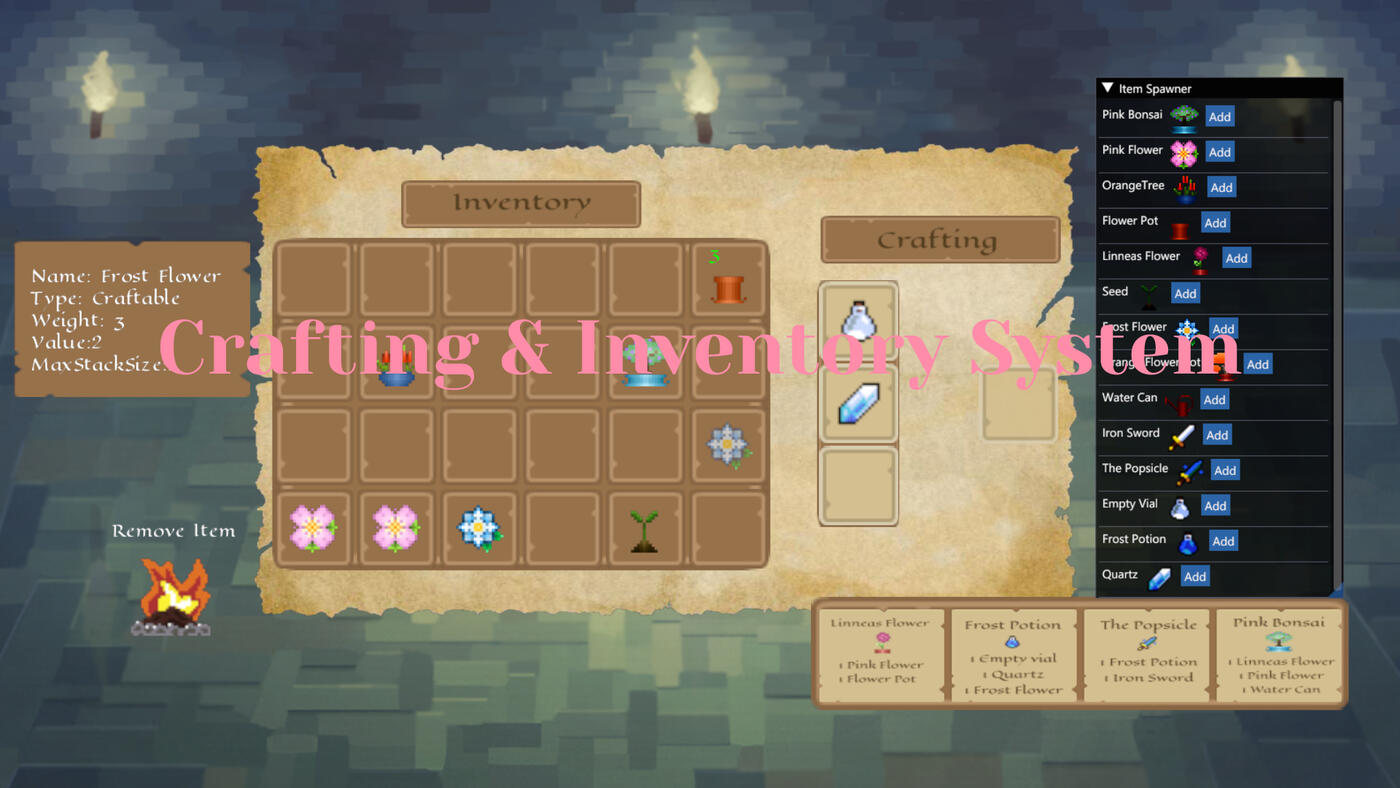
This page breaks down how the system evolved throughout development, showing the different versions, challenges I faced, and what I learned during the process. This system was made in custom engine, which means 90% was made from scratch.
Where it begun
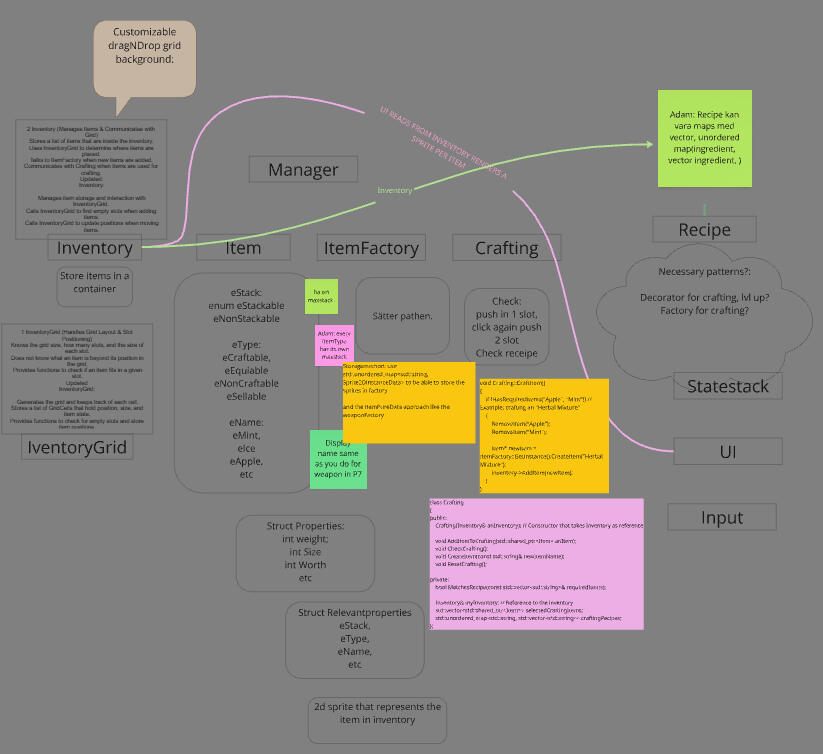
I started by researching how inventory systems work. Given the time constraints, I focused on gathering enough information to plan out the different components I would need to build.From there I began exploring how to implement the inventory grid. I wanted it to be flexible in size, so I tried several different approaches before landing on one that gave me the control I needed.
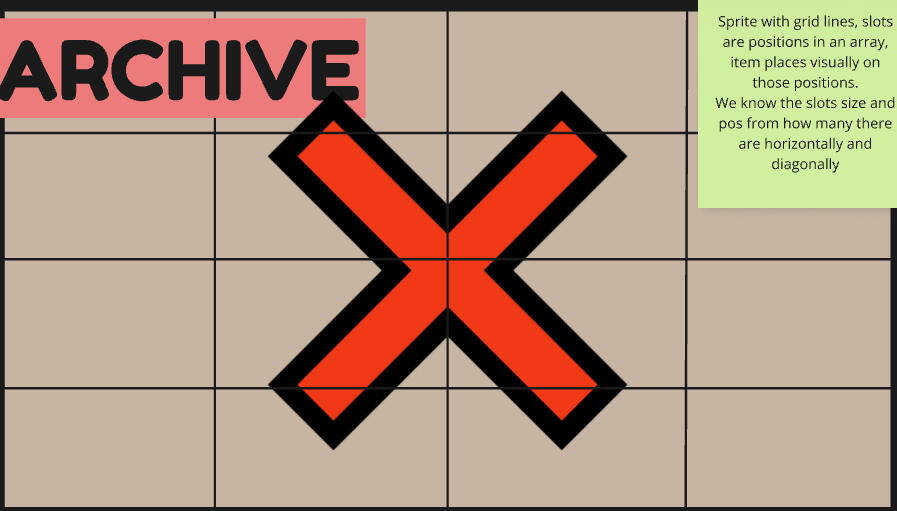
Version 1: One sprite with drawn cells. By knowing the sprite size and cell count I could calculate each cell's size.
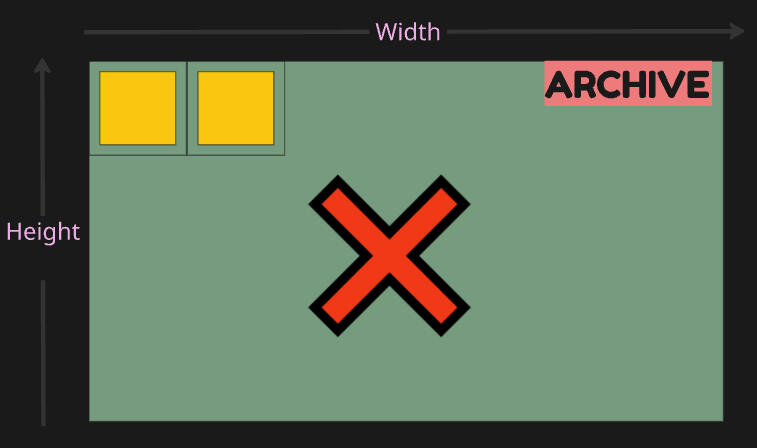
Version 2: Shifted focus to calculating cell count from the background and cell size. This caused uneven sizing issues.
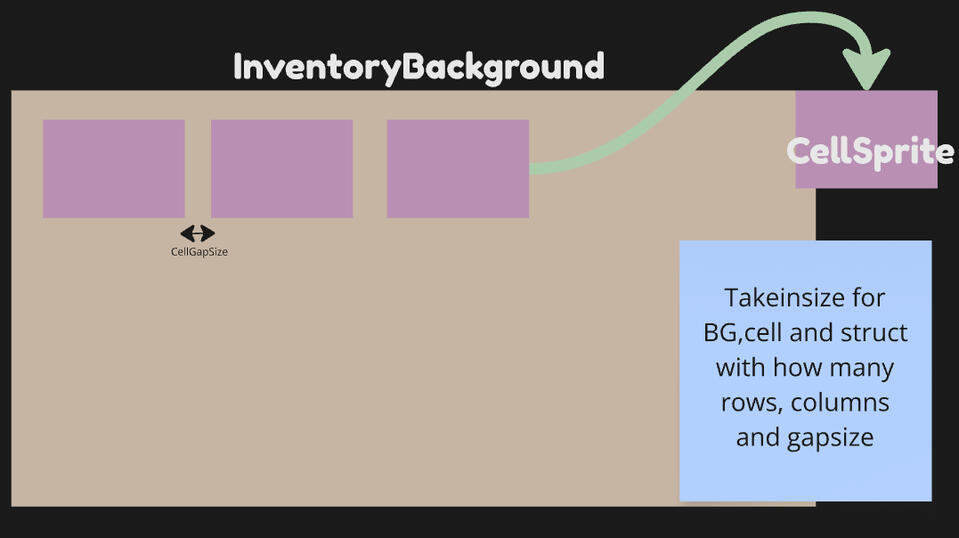
Final Version: Setlet with deciding the background size, cellsize and then the amount row, columns and gapsize.
Resize Grid and ItemFactory
Process of building a grid that position cells from the amount of rows, column and gapsize.
Changing the amount of columns and gapsize between cells.
Once the grid was working, the next step was creating items and adding them to it.Having learned factories in Project 7 when implementing the weapon system, I wanted to apply the same pattern here. I adapted the same factory logic to create an ItemFactory, the key difference being that item data is defined directly in the engine rather than being loaded from Unity.
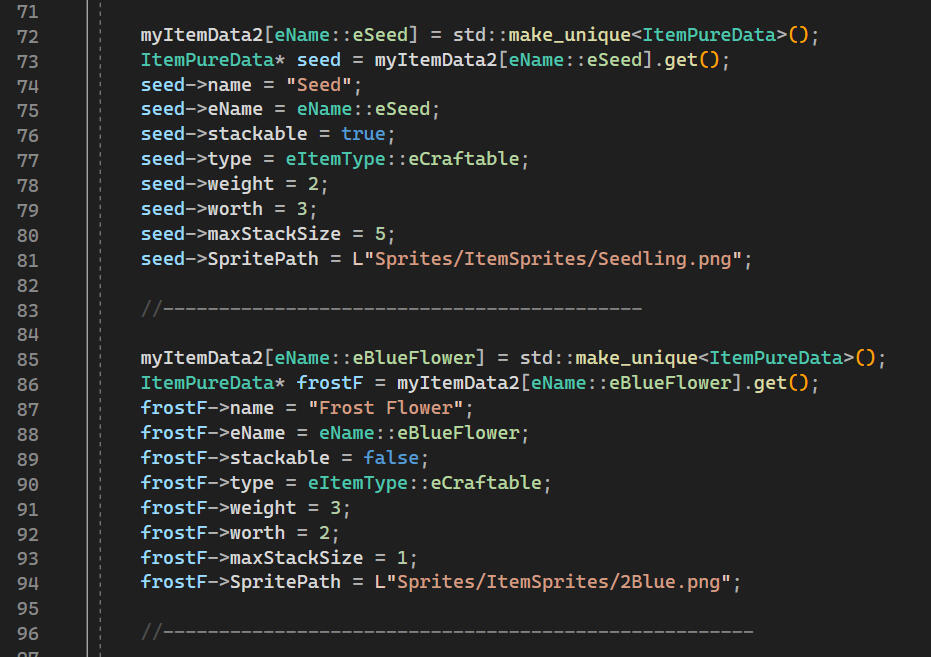
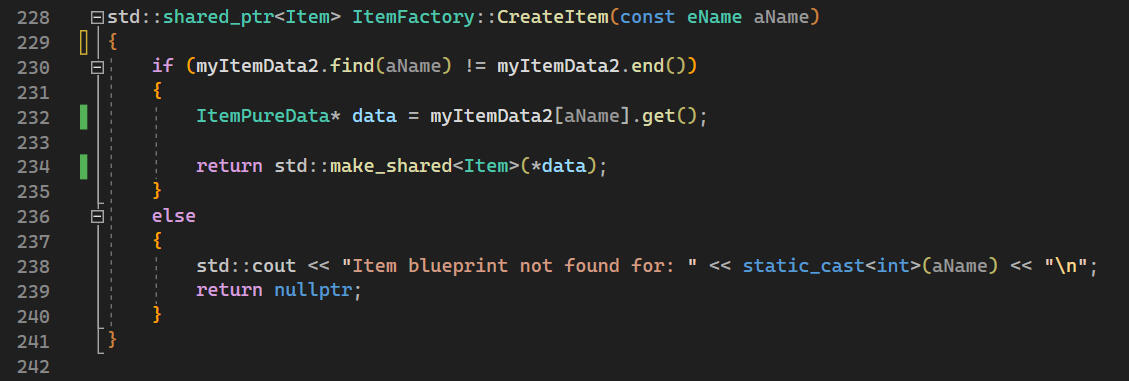
std::unordered_map<eName, std::unique_ptr<ItemPureData>> myItemData2;
Moving, Adding and UI feedback
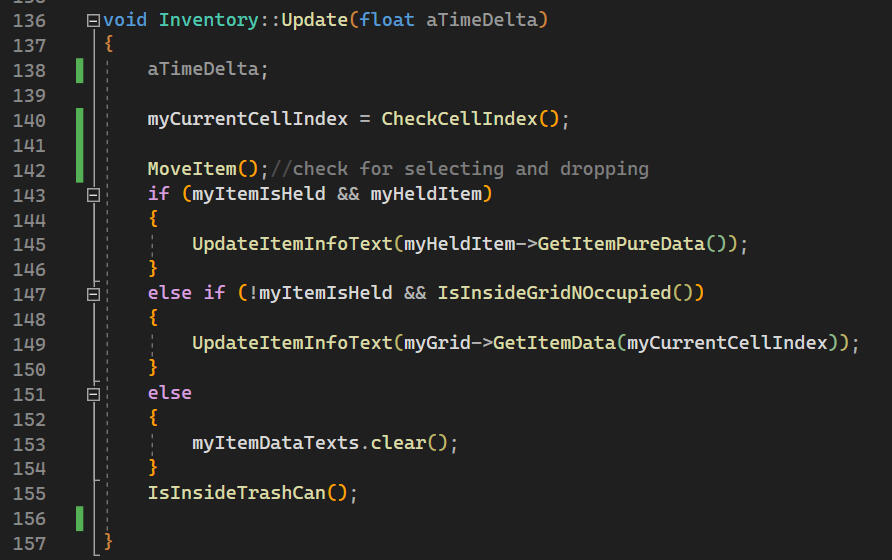
With the grid built and items defined in the factory, the next step was making everything interactive. This meant implementing hovering logic, drag and drop and item removal.When hovering over a cell that contains an item, it displays the item's data from its ItemPureData. When the mouse leaves the cell the display clears itself. While hovering I also lower the cell sprite's opacity as visual feedback, a small but important touch.When dragging an item I create a copy of it that follows the mouse position. Dropping it on an empty cell places the item there. Dropping it on an occupied cell or outside the grid removes the copy and recreates the item at its original position.
First iteration at moving items around the grid
Creating a temp item sprite with lower opacity, it follows mouse pos. Items can also be removed
Added hover effect, while mouse is in cell, its sprits get a lower opacity.
Crafting and Recipes
Crafting was a goal from the very beginning, an inventory system without crafting felt incomplete to me, so I planned for it from the start.
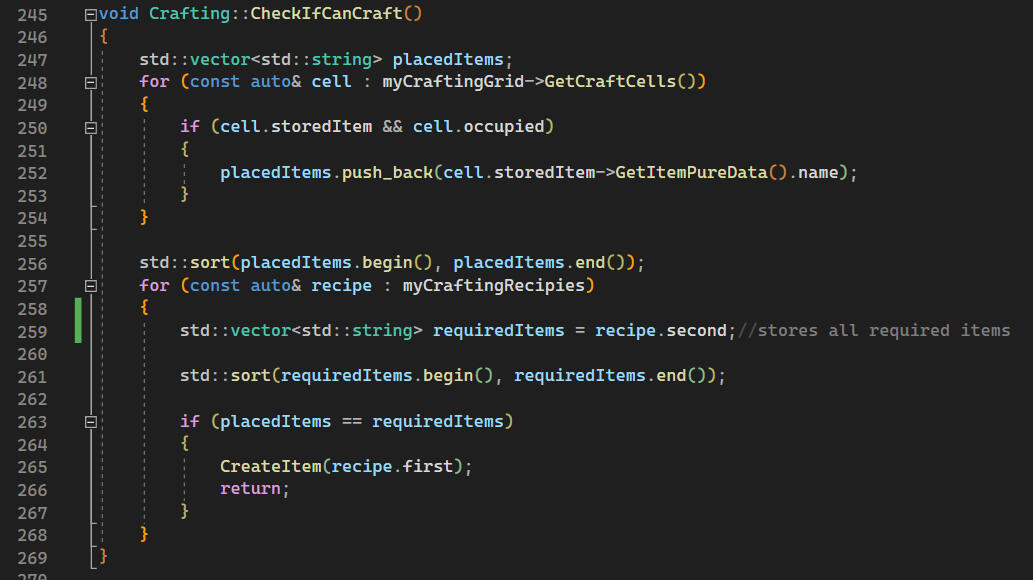
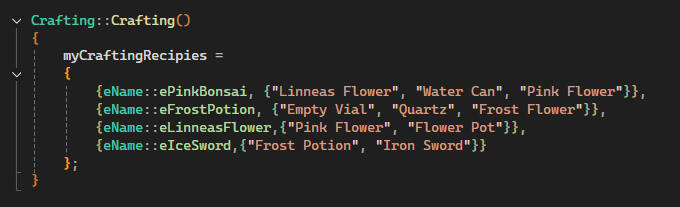
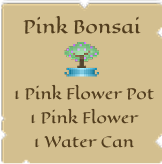
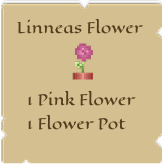
When the player attempts to craft, the system collects all items currently placed in the crafting grid and sorts them. It then compares that list against every known recipe. If the placed items match a recipe exactly, the corresponding item gets created
//mapping crafted item to its required ingrediensesstd::unordered_map<eName, std::vector<std::string>> myCraftingRecipies;
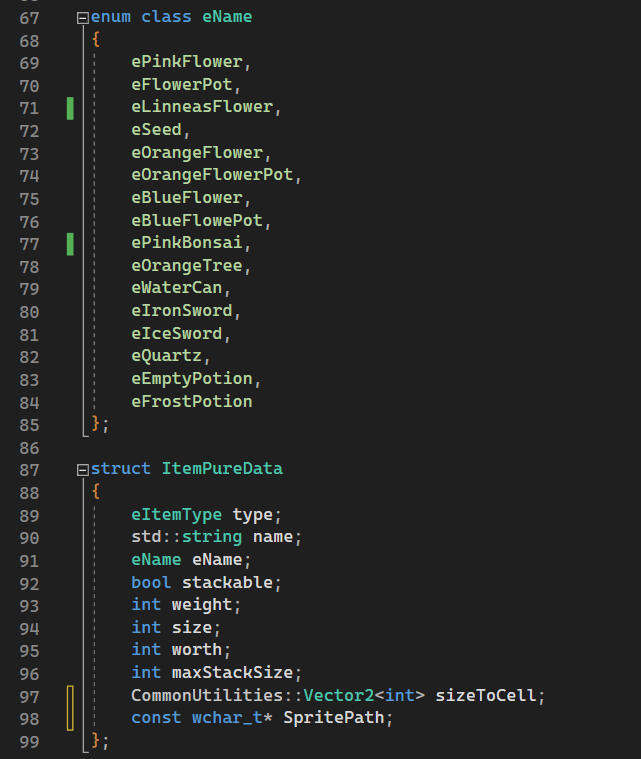
Each item in the system carries a set of properties that other systems can read at any time whether it is stackable, how much it weighs, its worth, max stack size, item type, its sprite path and so on. Having this data centralised meant any system could query an item's properties without needing to know how the item was created. And it would make it easy adding this as a tool.
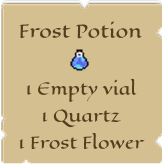
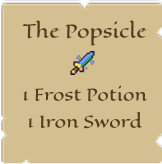
What more I wanted to implement
Stacking: The foundation is there. Each item knows whether it can stack and what its max stack size is. What I wanted to finish was smarter stack merging: dropping a stack onto another would fill it to its max and send the remainder back to its original position. Right clicking a stack would pick up items one at a time with a small delay. Time ran out before I could complete this.
Max Weight : Every item already has a weight value defined. The next step is having the inventory reject items when the total weight limit is reached, including items dragged from the crafting grid or result cell.
Selling Items: Planned but not yet implemented. Each item already has a worth value ready for it.
Creating Recipes and Items at Runtime: The most interesting one to me. Using ImGui I could build an editor tool for creating items and recipes without recompiling, which connects directly to my interest in tools programming. A fully in-game version would be a bigger scope, essentially building a game around the system rather than the system itself.
What I would do differentlyt
Both InventoryGrid and CraftingGrid ended up sharing a lot of similar logic around cells, layout and drag and drop. A shared base class or generic grid system would have reduced duplication and made future changes simpler.I also focused more on functionality than architecture early on. In future projects I want to experiment with patterns like MVC to better separate logic, visuals and input handling, making systems more modular and easier to test.Finally, the system is currently tied to TGA's engine. Designing it to be more engine agnostic from the start would make it easier to carry across projects.
Conclusion
Building an inventory and crafting system from scratch taught me a lot about how interconnected systems need to be planned, not just built. Thinking through data structures, item types, factory patterns and UI feedback all at once pushed me to consider architecture decisions I had not needed to think about before.Given everything I know now I would approach it differently in places, but I am glad I built it the way I did. You learn more from the rough edges than from the parts that go smoothly.
Game jams
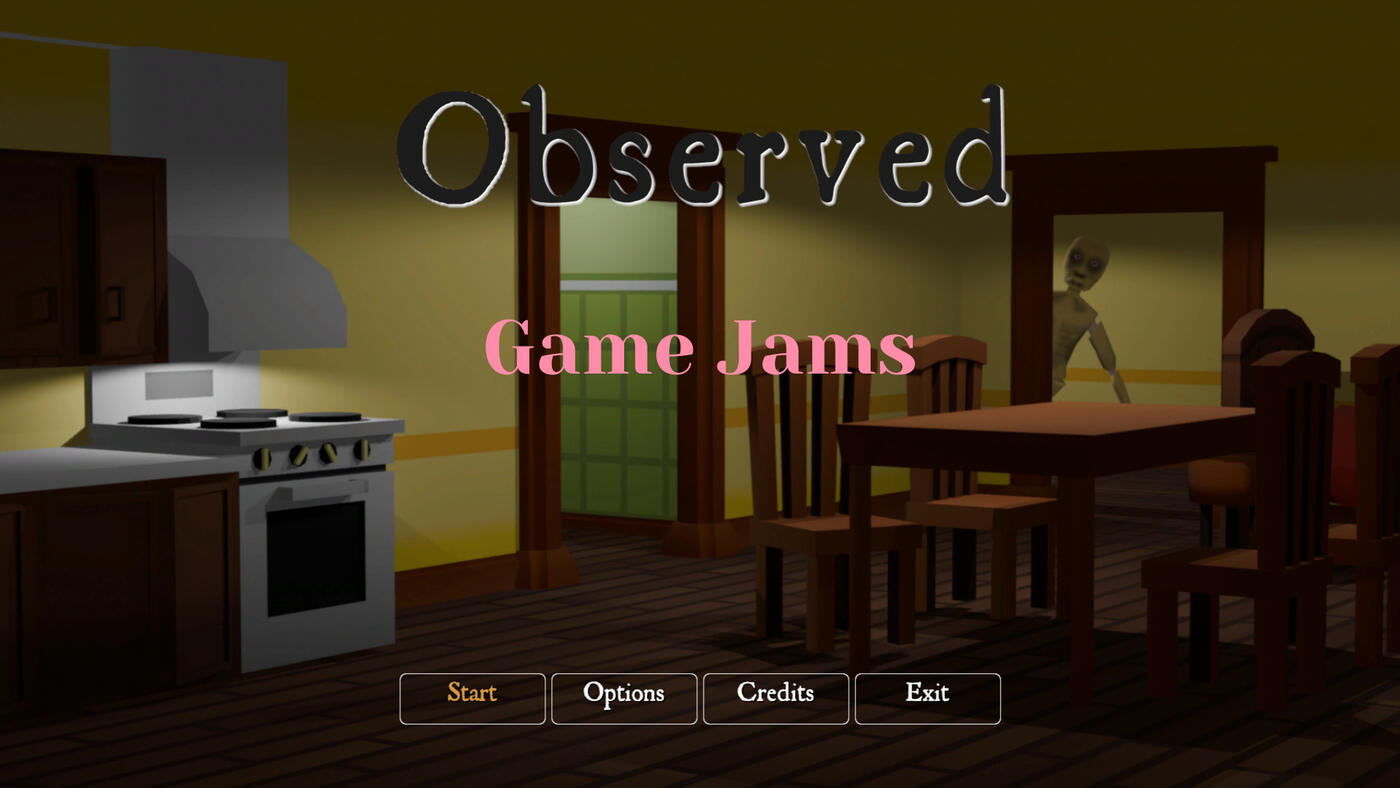
Participated in the GGJ26 Immersive Sweden, 30January - 1 February, a 48h Gamejam.It was my first ever gamejam and the theme was mask. I wanted to make a horror game and found others that liked the idea.
Contributions
2D & 3D Audio Implementation
Core Eventmanager
Team lead
Co level designer
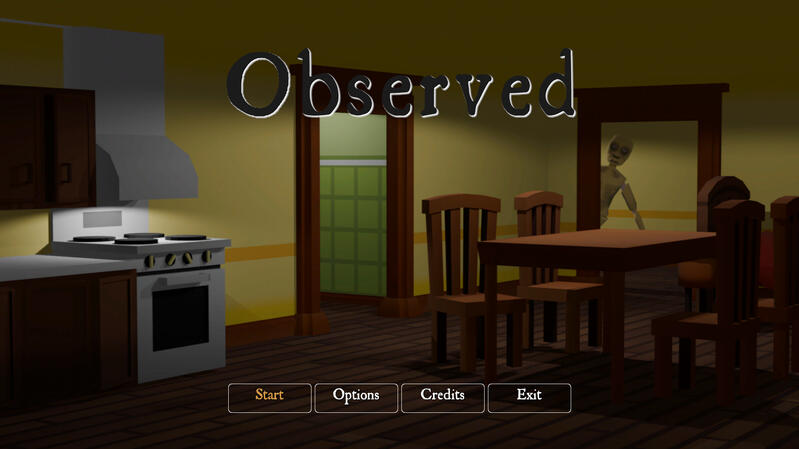
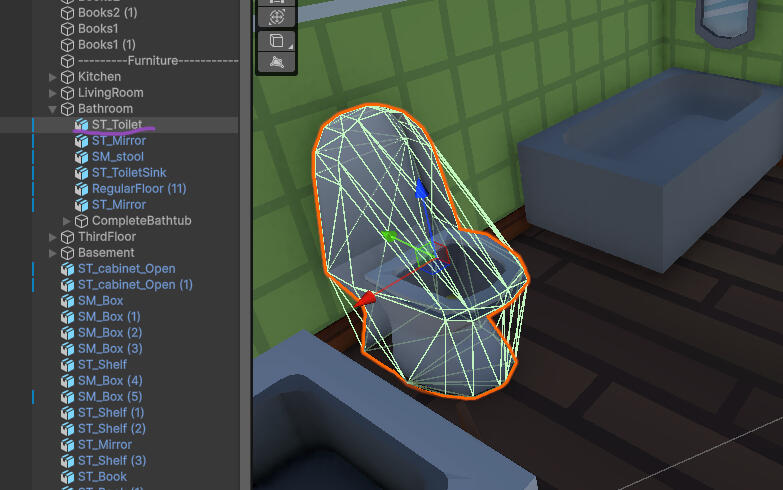
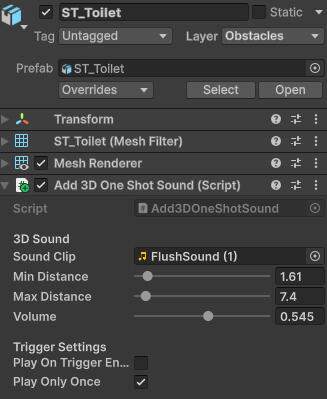
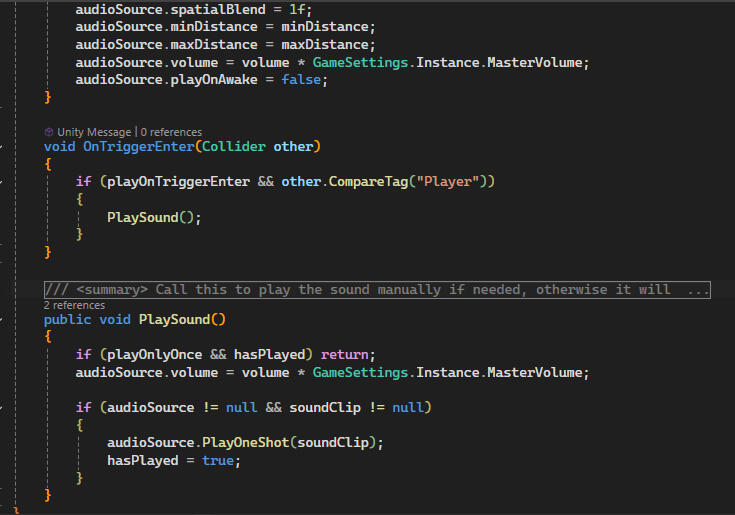
I made a script for oneshot sounds(onTriggerSounds). Since time was extremely limited I put the sound on the object in question with some settings thats adjustable. The script is added to the object you want the sound coming from.
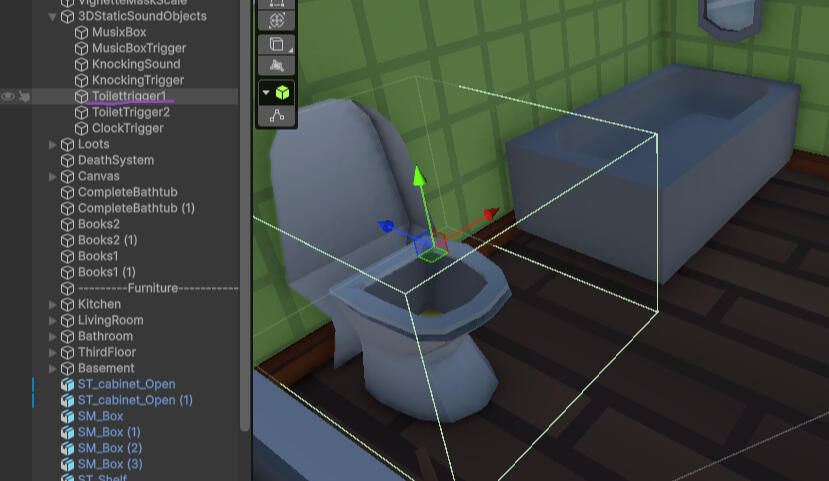
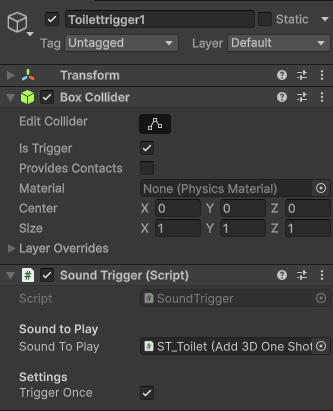
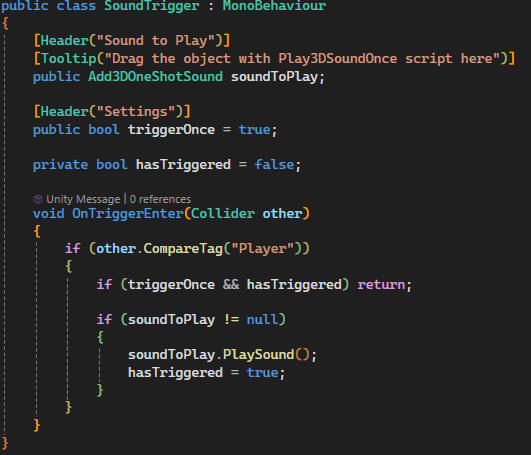
I wanted sound to be triggered when close to something hence why I made it with a collider. This so I also could add it as horror element. Other than this toilet which was more a humour factor, I added it also for a clock which gave away a loud oldfashioned clock sound.
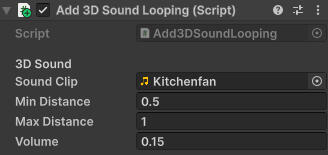
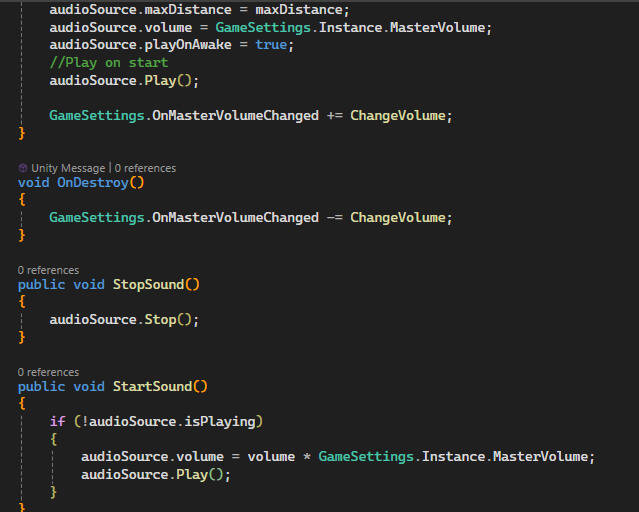
I also added looping sounds. Like this kitchenfan sound for example. That started when the level was loaded.
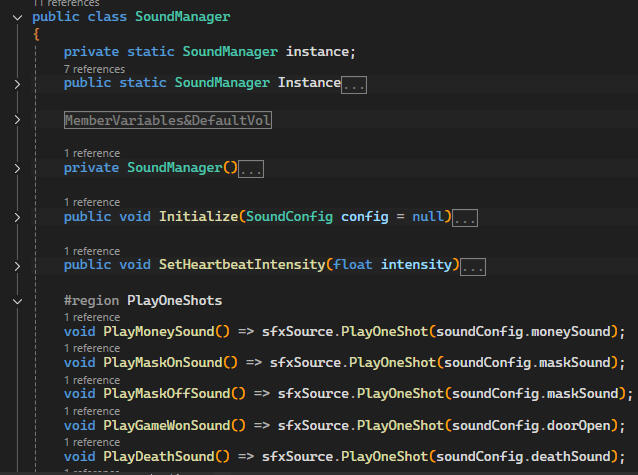
For 2D sounds I created a soundmanager that had all 2D sounds. We used a events to signal when sounds would be played. This through the GameEvents scripts which I also created. The reason was so that we could run events for both sounds and other things. For example "OnMaskOn" we play the sound, adds a effect, a timer starts and so on.
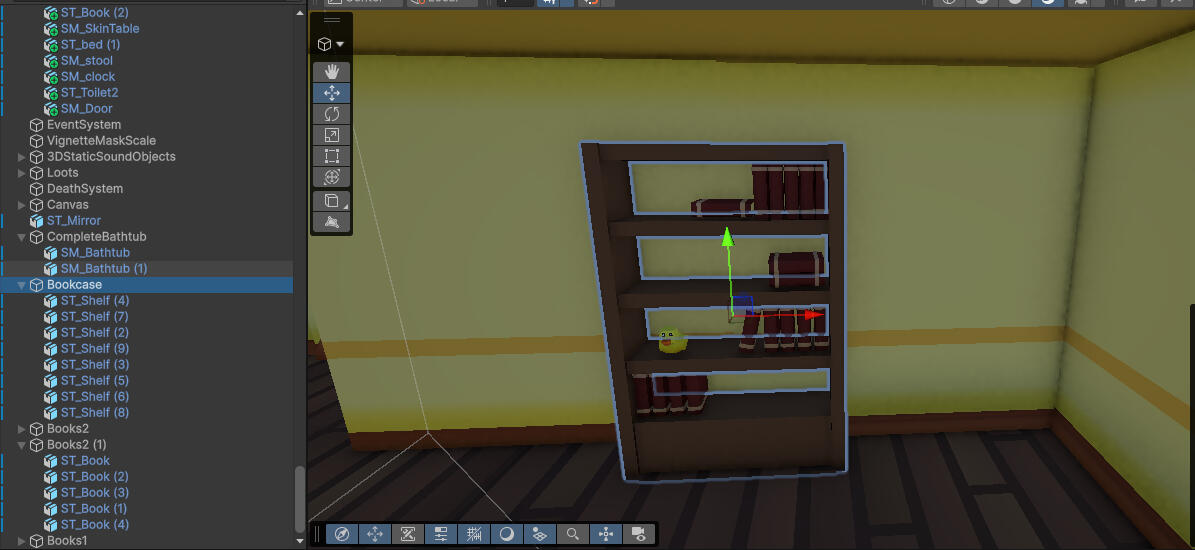
I also did some level design like fixing gaps, add floor, changed the rooms position, filling the rooms with items.We had limited items (since we had one artist that made everything from scratch) so I had to create something new with them. Like this bookcase, made from shelves.
Tools
Tools created during studies at TGA
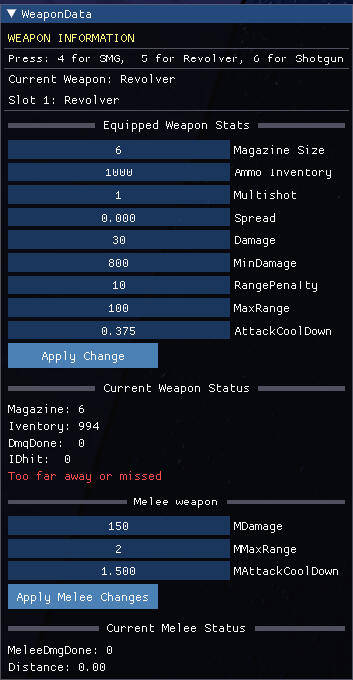
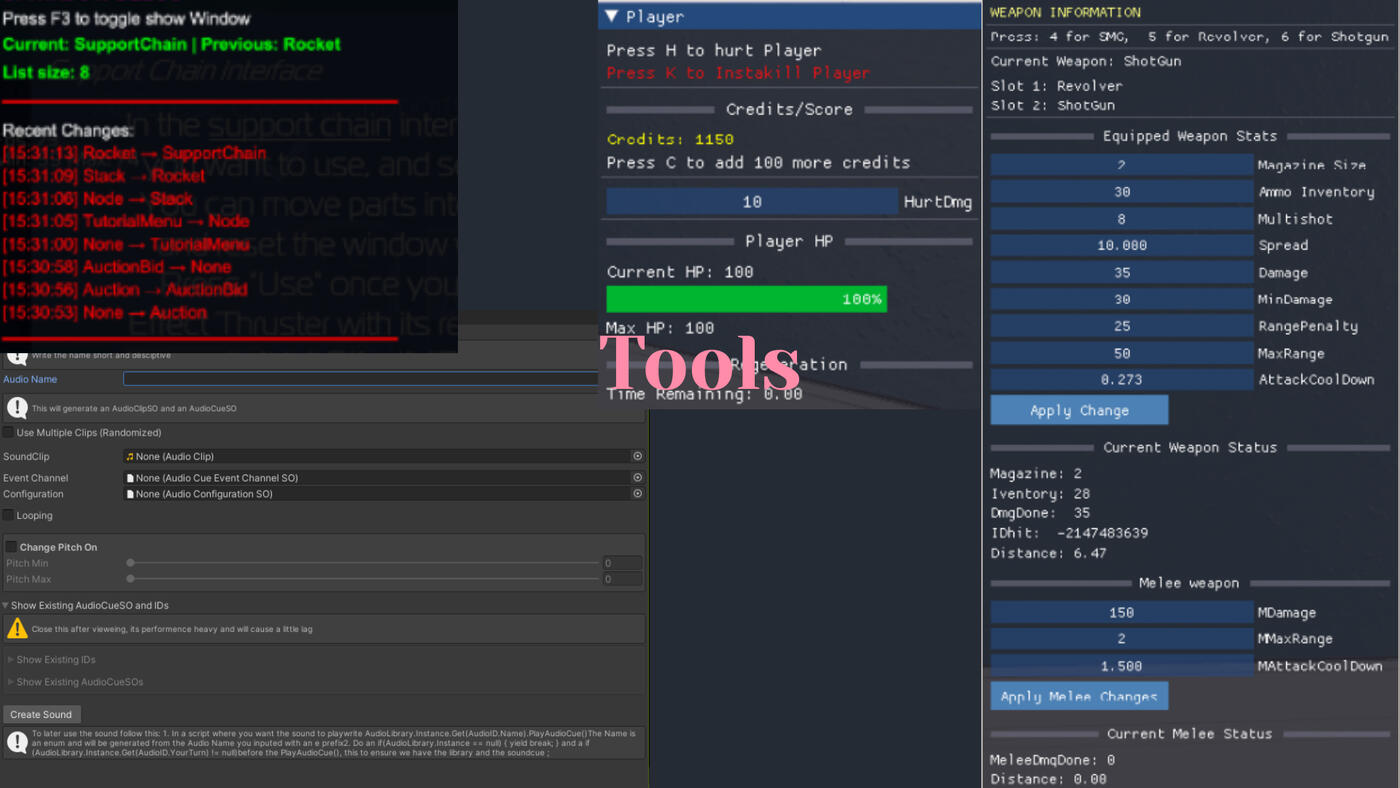
To test and debug the weapon system I created early in development, I made a custom ImGui-based weapon tool. The goal was to verify that weapon switching worked correctly, and that my weapon factory created the right weapon with the correct stats.The tool displays detailed information such as:- Current equipped weapon- Slot 1 and Slot 2 contentsStats like magazine size, damage, range, ammo inventory, multishot and so on.Later, I added the ability to edit weapon stats during runtime, which helped us test balancing and quickly iterate on feel and design without needing to recompile or restart the game.I also included live debug info about:- Damage done- Hit IDDistance to target
This helped me quickly detect and fix a bug in my damage calculation related to range penalties and max damage falloff. The tool was also used by others to identify invisible objects during runtime.
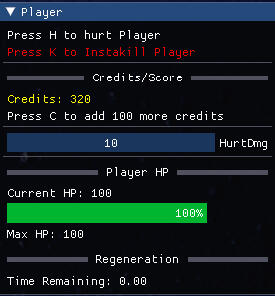
Additionally, I created a player debug panel to test mechanics like:Health and regen (with regen delay)Adding creditsSimulating damage and instant kills
This was especially useful before enemy AI could properly damage the player, allowing me to test parts of the core game loop early on.
Tools created during internship at ION
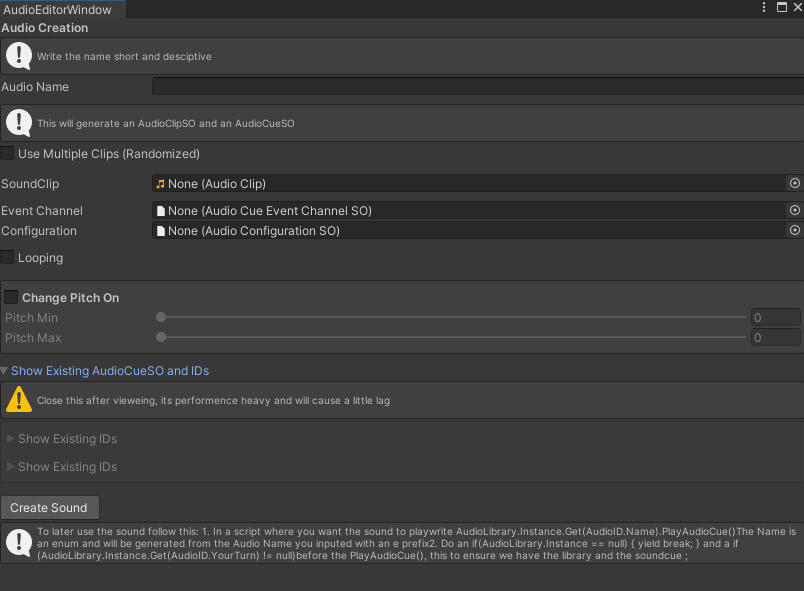
I made an editor tool that turns 9 steps into 2 steps. You fill in the name, drag the audioclip pick a channel and config and end with clicking "Create Sound".It takes the name you input and adds it to the AudioClipScriptable name and same for the AudioCueScriptable. It also used for the enum.To use it you write "AudioLibrary.Instance.Get(AudioID.Name).PlayAudioCue()"
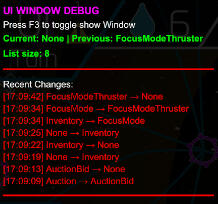
This UI tool was created to help debug a tutorial system we worked on. The tutorial had step requirement logic that checked which UI window was currently open before allowing the next step to trigger. Sometimes this check failed silently, which was a hassle to track down with breakpoints alone.This tool made it easy to click through the tutorial and see in real time which window was actually on top, making the bug visible instead of guessed at.
Tga
During my time at the TGA I got to learn so much and I got to work with UI, Component systems, patterns like blackboard and Eventmanger. I found that I naturally gravitated to making tools and found myself drawn to learning audio programming whenever it was needed
Projects
Here are some projects that shaped that learning
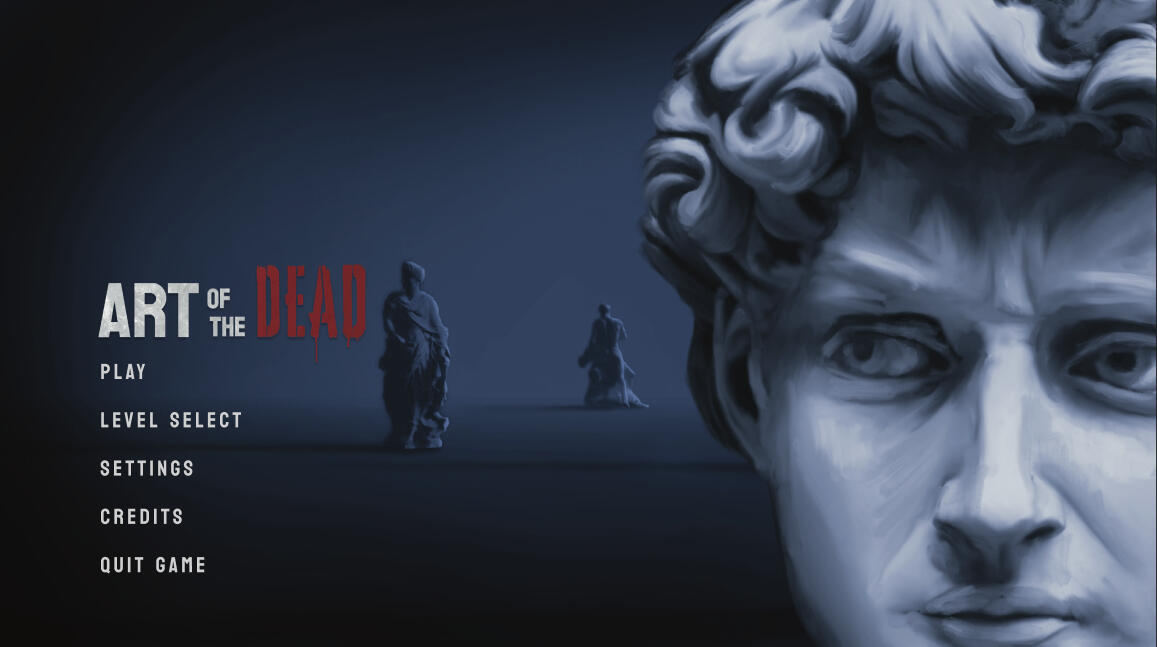
Genre: FPS
Timeframe: 16 Weeks, 50%
Engine: FraktalOktav 2.0Summary:
Hoard wave-based FPS set in an art museum at night,
where statues come to life and attack. The goal is to survive as long as possible using various weapons.My ContributionsResetting Functionality - Implemented a system to ensure all game states reset properly when returning to the main menu.Weapons - Developed the WeaponFactory, WeaponComponent, and Weapon class to manage weapon creation and behavior.Player – Handled weapon usage, health regeneration mechanics.Components – Created reusable HealthComponent and WeaponComponent, both used by players and enemies. The healthcomponent was later used with no changes at all in another project. The weaponComponent needed a little change but it was more of additions.Sound – Integrated FMOD to implement 2D, 3D and ambient sounds. Refactored an existing SoundManager from a senior to work within our project. Developed a SoundHandler to act as a bridge between FMOD and our engine.ImGui Tools – Built tools early in development to help other team members visualize and modify weapon stats. Also created a tool for monitoring player attributes like health, regeneration, and credits before UI implementation
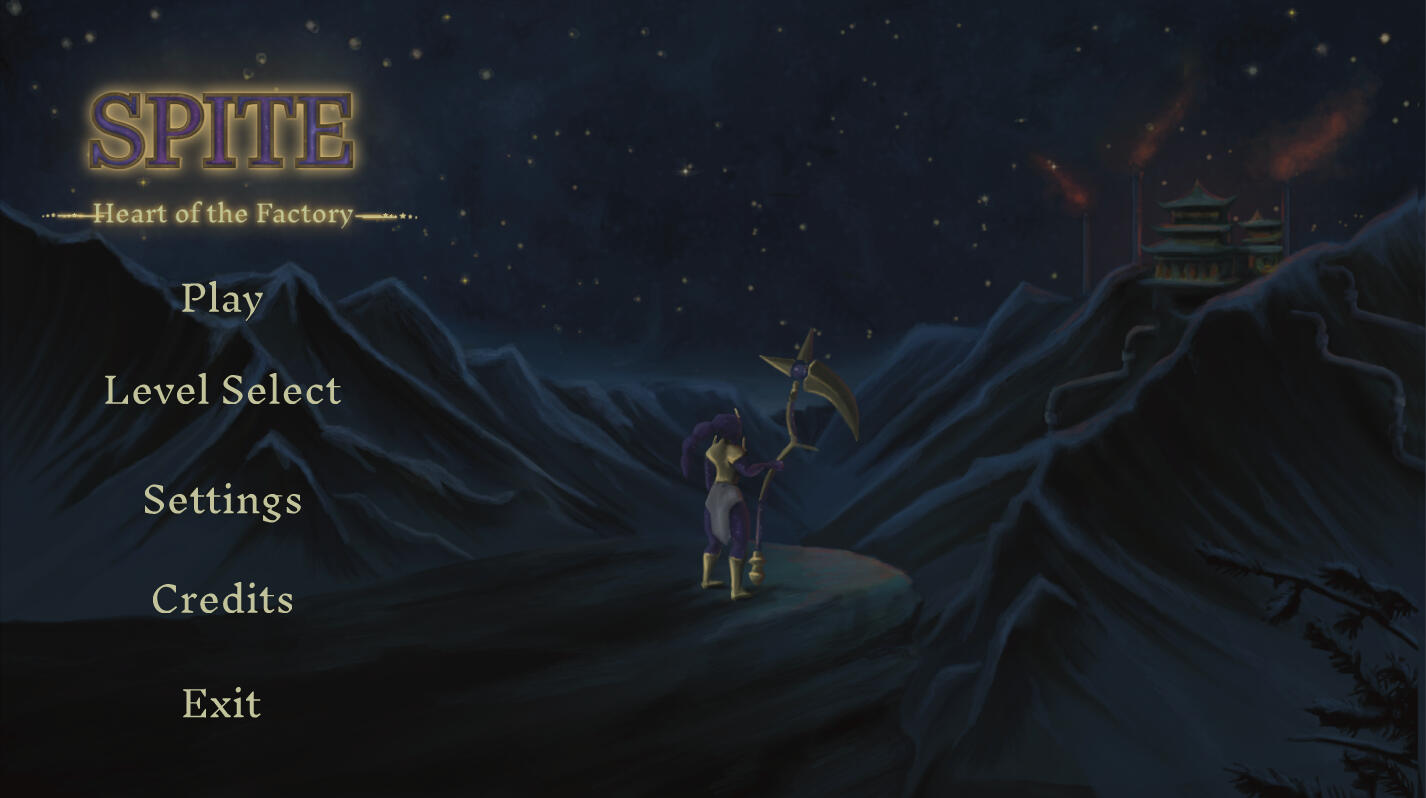
Genre: Top-Down RPG
Timeframe: 13 Weeks, 50%
Engine: SugarMuffine EngineSummary:
Diablo inspired rpg,My ContributionsAbilities - Created abilities 6 abilities that inherits from a AbilityComponent, that keep tracks on the objects cooldown, mana and so on.Player - PlayerController component that handles input, abilities, status etc.Components – Created reusable XPComponent, HealhtComponent, ManaComponent, inherting from StatusComponent.PostMaster - Added a Postmaster to handle events in the game
Genre: Top-Down Adventure
Timeframe: 7 Weeks, 50%
Engine: TGESummary: Join Rascal, a rebellious rat armed with a guitar, in a high-octane adventure to overthrow the tyrannical Rat King and save his beloved punk bar, Rocking Rodent.(from Itchio).My ContributionsHUD - Healthbar, icon for objects equipped , lock on and nearest enemy.Sound - Worked with to get sound with FMOD to the engine. Also worked on a lot of sound editing.
ION
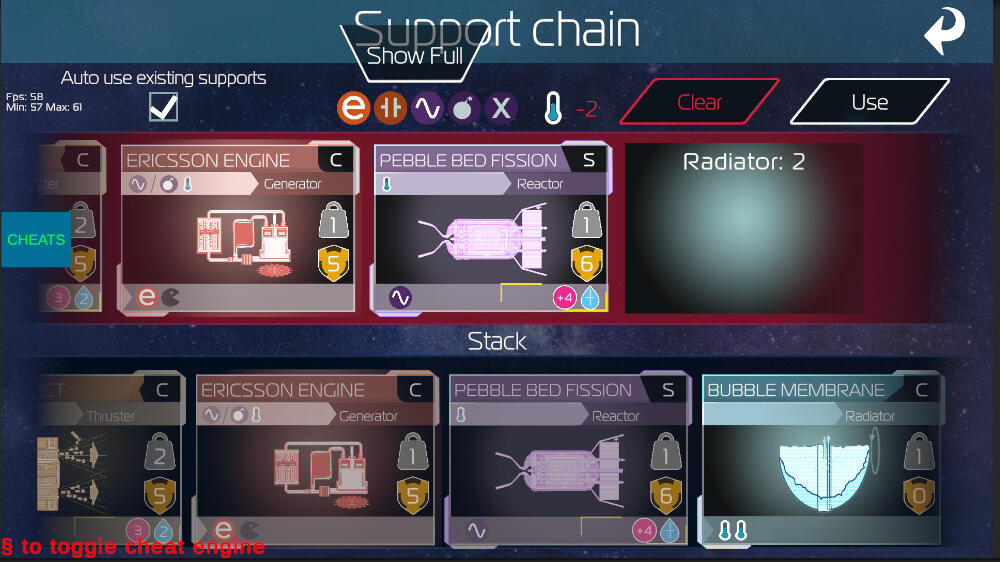
Supportchain system I worked during my internship
During my internship I worked across a bit of everything, but I took on a fair amount of initiative throughout. I helped organize and see over what was needed, writing meeting documents and outlining tasks even when it wasn't explicitly asked of me.On the technical side, I worked with audio, restructuring an existing system into a centralized AudioLibrary, and built network functionality for audio since the game was multiplayer. More detail on this is available on the Audio page.I then worked where it was needed, fixed with UI, reconstructed SupportChain (a functionality that checked what cards was used and if they fulfill a demand. It had to work with any order we lay the cards, update if we switch cards etc), worked on the tutorial, helped planning for a single playuer mode.I got to create a boardgame during a gamejam, a boardgame that won the competion in the office.
About

My path into programming began with a short course in C++, which was challenging but fun! Which later encouraged me to apply to the Game Assembly to continue programming.Who am I? I'd say I'm a curious and persistent problem solver who always looks for the "why" behind things. I enjoy digging into design decisions, discussing pros and cons, and refining my systems to make them better. I'm determined when facing challenges and always strive to evolve my work. I like to plan thoroughly and think ahead, whether I'm building a system or collaborating with others. I value learning, clarity, and teamwork.Through my education and projects at TGA, I've developed skills in C++ and gained experience with game engines like Custom Engines, Unity and some Unreal Engine. I enjoy system design and building modular, reusable code components.
I’ve also learned how to work with fmod for sound implementation in Games.Games have been part of my life for as long as I can remember from 102 Dalmatians: Puppies to the Rescue and Battlefield 2142 to spending weekends on Overwatch 2, Marvel Rivals and point and click games.Outside of code, I love crafting in every form, whether it's iron beads, papermaking, pottery, or anything else hands on. During my studies at TGA, that love for crafting found its way into my programming work. I've enjoyed building tools for other to use.If you have any questions, feel free to reach out, I am easiest to reach through mail.